
Understand crop water needs
Follow the method, check units and review the assumptions before using a result.
Read FAO-56 guidance →Research to field practice
Start here
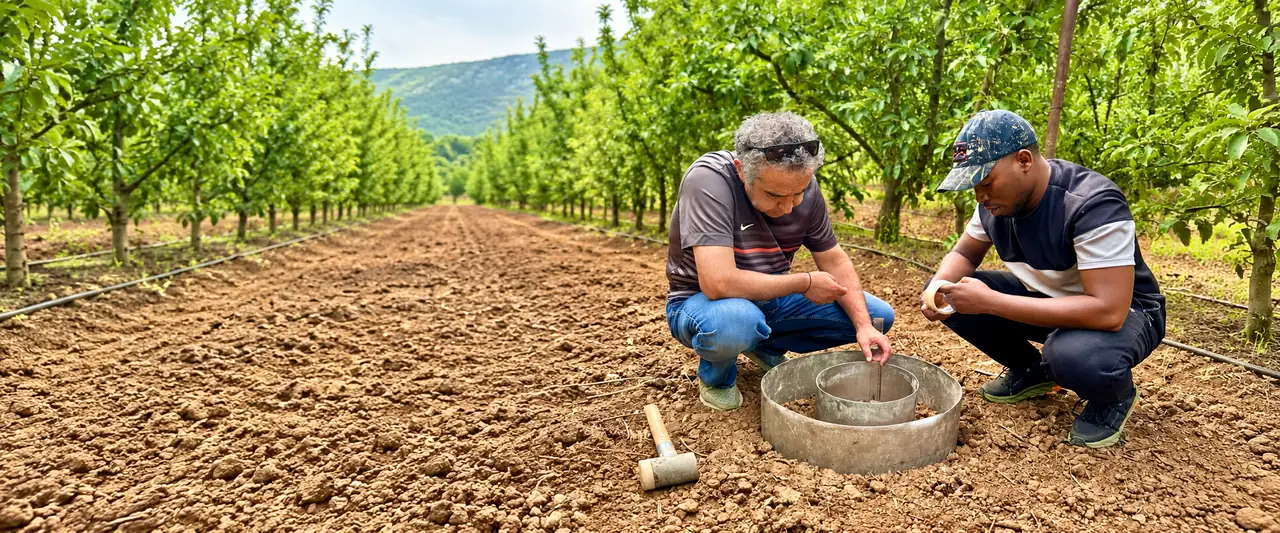
Explore irrigation research areas, original studies and field guidance. Follow evidence back to its source.
Open the library →02 / FIELD PRACTICEExplore 38 transparent calculators, field measurements and reproducible CSV workflows.
Explore field tools ↗03 / WEATHER INTELLIGENCESearch any location for current conditions, hourly weather and a 10-day outlook.
Check your location →04 / YOUR FIELD EVIDENCEOpen a calculator and use Your Field Validation below its results. Compare your Excel or CSV measurements with predictions in matching units; your original file stays in your browser.
Our aim
Our mission
Selected reading
From the research hub
LEARN · APPLY · CHECK
Follow the method, check units and review the assumptions before using a result.
Read FAO-56 guidance →Review the location, dates and source. Keep provider estimates distinct from your measurements.
Explore weather data →Compare observed and predicted values. Keep calibration and independent evaluation separate.
Your Field Validation →STAY CONNECTED
New publications, field methods and research announcements. Confirm by email; unsubscribe whenever you choose.
IRRIGATION SCIENCE · FIELD EVIDENCE
RESEARCH SCOPE
SOIL & WATER RESEARCH
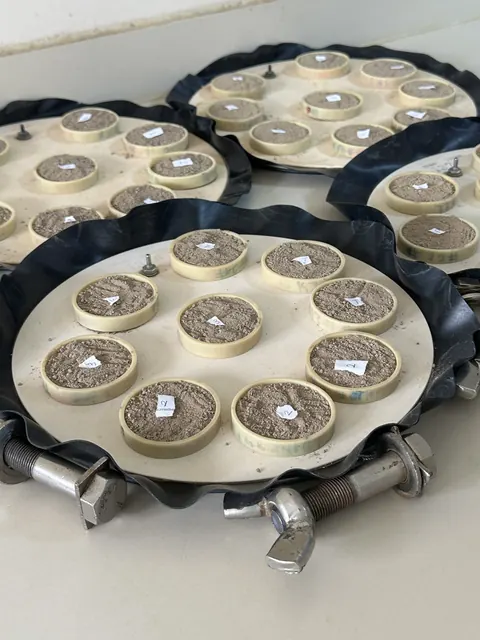
Field observations and laboratory samples help frame research questions. Keep sampling records, methods, units and independently checked measurements with every analysis.
Prepare reproducible field records →PRIMARY SOURCES & METHODS
Search credited studies and guidance. The research areas describe our scope; library records retain their original authorship. Our article records appear separately in Publications.
PUBLISHED WORK
Articles and scholarly outputs shared by this research platform.
MEASURE · CALCULATE · VERIFY
Transparent models for drip and sprinkler project design, pipe hydraulics, crop yield response, deficit irrigation, greenhouse systems and calibrated measurements.
AquaCrop, CROPWAT & DSSAT resources →
FIELD DATA VALIDATION
Import an Excel workbook or CSV, select your columns and calculate R², MAE, MSE, RMSE and mean bias error. Fit a linear sensor calibration with separate training and holdout groups when needed.
RGB MEASUREMENT
A simple, inspectable colour threshold. It does not identify a crop or diagnose water stress. Use a consistently framed, representative image with controlled illumination.
Record hardware, measurement units, calibration dates and intended control logic in a private project. Outputs remain advisory. No physical irrigation controls are connected.
Open projects & saved analyses →Commissioning requires compatible hardware, verified flow feedback, maximum run time, local override, fail-closed valves and tested fault handling.
Read the method guide, then open the matching Field Tool.
AGRICULTURAL DATA · AI · COMPUTER VISION
Explore methods for field estimation, forecasting and crop imagery, and check model outputs against independent observations.

COMPUTER VISION
Combine measured observations, explicit quality checks and established calculations. Evaluate predictions against independent field measurements and report uncertainty before drawing management conclusions.
Explore independent validation →GLOBAL WEATHER · LOCAL DECISIONS
Current and hourly model weather, daily forecasts, historical summaries and your experimental mini-meteostation.
PRIMARY SOURCES
Books, datasets, standards and research organizations. Authorship and licence terms remain with the original providers.
CROP & IRRIGATION MODELS
Choose a model for your research question, prepare suitable field data and validate the outputs independently. These links open the providers’ websites, where the software, documentation and usage terms are available.
FAO · CROP WATER PRODUCTIVITY
Explore crop yield response to water and compare agricultural water-management scenarios.
Prepare climate, crop, soil and management data for the chosen study.
Official AquaCrop website ↗FAO · IRRIGATION PLANNING
Estimate crop-water and irrigation requirements and compare irrigation schedules using soil, climate and crop data.
Use local observations and justified crop coefficients when available.
Official CROPWAT information & software ↗CROPPING SYSTEM SIMULATION
The Decision Support System for Agrotechnology Transfer supports crop growth, yield and management scenario studies.
Check the model’s weather, soil, cultivar and experimental-data requirements.
Official DSSAT website ↗Run these models using the providers’ software. To evaluate numeric predictions here, prepare an Excel or CSV table with matched observed and predicted values, units and independent trial groups. Open field-data validation →
IRRIGATION SYSTEMS
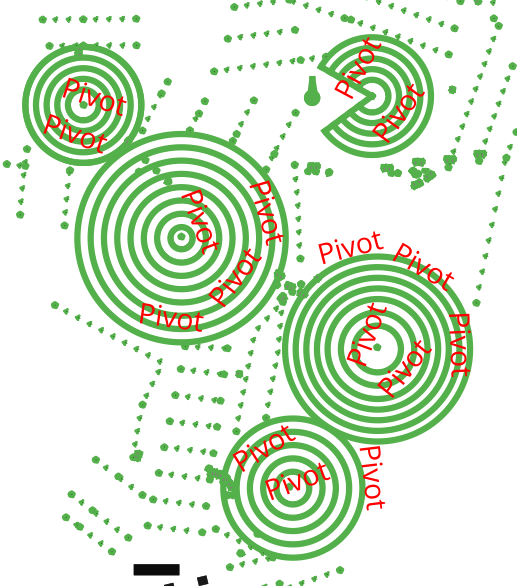
Use this visual to recognise circular pivot layouts alongside the irrigation references. Treat it as an illustration; use surveyed dimensions and engineering inputs for a real design.
Explore irrigation calculations →PURPOSE & PEOPLE
RESEARCH CONTACT
Researcher · Agricultural Structures and Irrigation
Rwanda Polytechnic · Isparta University of Applied Sciences
Institutional references are provided for context and do not imply endorsement.
YOUR PRIVACY AND DATA CHOICES
Your private research work is kept separate from public website content. This notice explains how information is used and protected.
Your saved calculations and projects are protected by account-based access controls. Other visitors and ordinary users cannot browse your private results or history. Access to stored information is limited to authorised persons for service operation, support, security and recovery. Private work is not automatically published on the website.
Salted password hashes, sign-in limits, session controls and server-side permission checks help protect your information. The public website uses HTTPS. Automatic security protection acts immediately when its attack-detection rules are triggered.
Public educational content, calculators, weather forecasts, historical weather data and calculation exports are freely available without registration in Phase 1. Register with a verified email only to save private work or upload a personal station dataset. The platform is advertisement-free and non-commercial. Built-in calculations, RGB measurements and spreadsheet validation run in your browser. Owner-authored replacement methods are calculated by the website server when you choose that method. No paid or newsletter subscription is required. Choosing Save result sends the displayed inputs, provenance and result summary to your private workspace. Running a server-calculated replacement sends its required inputs for calculation without automatically saving the result. Connected-data requests send the selected location and dates to the chosen weather provider. Private station records remain restricted to the account that supplied them and authorised service processing. Unsaved results are lost when you close or reload the page.
The original Excel or CSV file and RGB image are not uploaded by these calculation tools. A saved validation record can contain column metadata and up to 400 observed and predicted chart pairs. Avoid entering unnecessary personal or confidential information in calculator fields.
Registration stores your username, display name, email address and a salted password hash. A verified email link is required for ordinary user account access and saving. Mailbox verification confirms access to an email address, not a person’s identity. Your email address is not displayed publicly. Signing in on a shared browser does not transfer another person’s saved history to your account.
You can view and export your own saved work. Where result removal is enabled, deleting a calculation removes it from your personal history. A protected recovery copy is retained separately; backups may also contain earlier versions. Contact us to request removal of retained information. Saved records remain until removed; no automatic expiry is currently applied to saved research work or its recovery copies.
Statistics record visits, approximate online activity, daily browser counts and page views to understand website use. A random first-party cookie identifies a browser for up to 90 days. No IP address, referrer, search query or calculator input is saved in the statistics database. The Owner can view a private table of recent public pages and tools viewed. Visitors appear as Guest unless a signed-in user explicitly enables named activity sharing in My workspace. Named activity is optional, off by default, retained for at most 30 days and removed when sharing is withdrawn. Anonymous aggregate totals remain. Browser identifiers expire after 90 days of inactivity; daily aggregate counts remain. Internal maintenance visits, recognised bots, Do Not Track and Global Privacy Control are excluded. Account-registration and confirmed-subscription totals are used only as private activity counts. When enabled, a small public header counter displays only the total recorded visits. Detailed visitor graphs and daily records remain restricted to authorised administration. Individual accounts, browser identifiers and private histories are not published.
Necessary session cookies support sign-in. Older visitor-save cookies may remain until expiry. Your language choice is stored in your browser. Operational and security records help maintain and protect the service.
Contact and partnership enquiries are stored privately to respond to your request. An academic enquiry may include your organisation, reply contact and research question. It does not create an account, subscribe you to newsletters or collect payment. No paid service or sponsorship facility is publicly activated in Phase 1. You may request deletion of an enquiry; protected recovery copies may retain earlier versions.
Research subscriptions require consent and email confirmation. Every research update includes an unsubscribe link. The configured email provider processes delivery information. Weather requests send the selected location and requested dates to the configured provider, including NASA POWER for the historical-input connector and Open-Meteo for the existing weather service. Provider estimates, reference values and teaching examples are labelled separately from uploaded observations. Imported station CSV files are stored privately when you choose to import them. Cloudflare and the hosting provider process connection information under their own policies. External research links are governed by the linked service’s policies.
Profanity, sexual harassment, hate speech and abusive language are prohibited. Local server rules reject recognised terms and common disguised spellings before submitted text is saved or published. Credentials are excluded from these language checks. Submissions are not sent to an external moderation service. The rules do not recognise every context or language; publication review also applies to documents and media.
Contact ehakiruwizera@rp.ac.rw to ask about your information or request deletion. Provide enough detail to identify the record without sending passwords, authentication codes or other credentials. Requests must be verified before private information is disclosed or changed.
Updated 24 October 2026.
AUTHORSHIP · SOURCE RIGHTS
Original work is protected. Referenced methods and third-party data retain their own terms.
Original software implementations, interface design, explanatory text and newly published original materials owned by Emmanuel Hakiruwizera are reserved to the rights holder unless a specific item states another licence. Permission is required for reuse beyond applicable legal exceptions or an express licence.
This reservation covers original expression and implementation. It does not claim exclusive ownership of standard equations, numerical facts, scientific ideas or material owned by others. Browser-delivered code can be inspected; registration is an access control, not a guarantee that visible material cannot be copied.
The calculators are freely available for educational and non-commercial research use. Original calculator outputs, exported figures and worked examples may be used for these purposes with citation to the named calculator, its version and permanent URL, together with the original scientific sources indicated on the calculator page.
This permission preserves third-party terms and does not grant a general licence to redistribute software source code, publications, photographs or other separately credited materials. General website information should be cited using the page title and URL; use the original publication citation for an article.
Materials previously supplied under CC BY 4.0 retain that licence for copies already received under it; this notice does not revoke existing permissions. Each credited publication, dataset, image, model and software component retains its own applicable rights and notices.
Reference records include their source, reuse basis and limitations. Public-domain or CC0 status applies only to the identified material. CC BY sources require appropriate credit, a licence link and an indication of changes. No source credit implies certification, endorsement or affiliation.
Private inputs, uploads, experiments, saved work and personal results are not published or licensed by this notice. Your source data and third-party inputs retain their respective rights. Phase 1 public calculators, weather data and exports are free to access. A registered account with verified email protects private saved work and personal station uploads. Research-news subscriptions are separate and optional.
Contact ehakiruwizera@rp.ac.rw with the item URL, intended use and any source-rights concern. Please do not send passwords, authentication codes or confidential data in an initial enquiry.
PREPARE · RECORD · VERIFY
Download recording sheets and worked examples for irrigation research. Blank templates and demonstration values are labelled separately from field datasets.
No materials are currently published.